
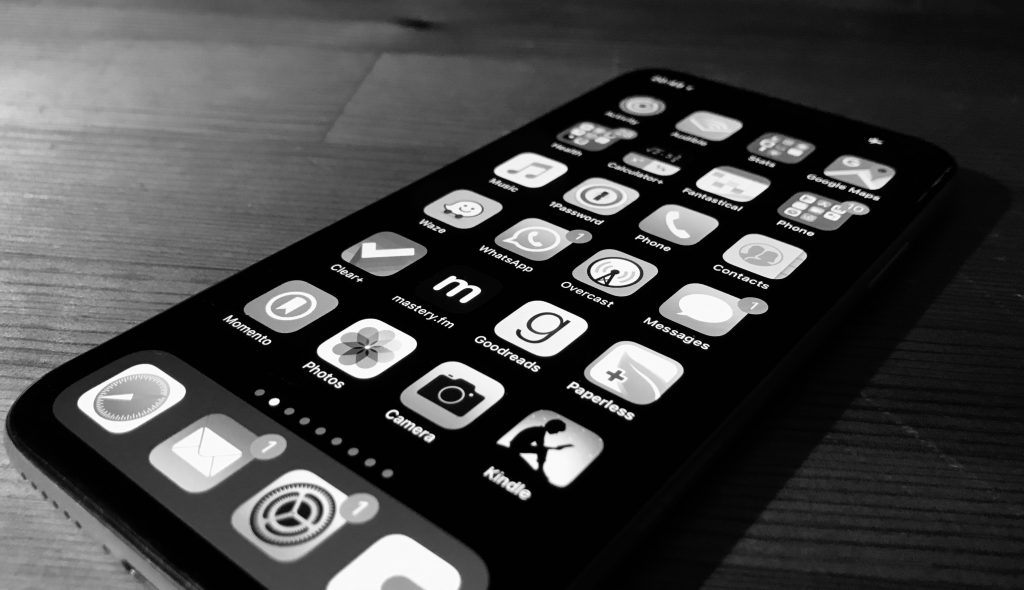
Interesting tip from Nellie Bowles on making her screens black-and-white:
To deal with your smartphone addiction, you grayed out your smartphone screen. How is that working out for you?
I love it. It gives me a sense of control over something I felt had too much power, and that is a small daily satisfaction.
These phones are designed to look and work like slot machines — hit us with bright colors and little pings to activate and please — and I’m glad to have scrubbed some of that. My computer screen is grayscale as well.
To step back, as our screen worlds have gotten better and so deeply immersive, we all have to figure out little hooks to pull back into the physical world (assuming we want to be pulled back). For me, for now, a good hook is color — the world is colorful, and my screens are gray.
And:
We’re simple animals, excited by bright colors, it turns out.
Silicon Valley companies like Facebook and Google know this, and they have increasingly been turning to the field of applied neuroscience to see how exactly brains respond to color in the apps, what brings pleasure and what keeps the eye. New research shows how important color is to our understanding of priorities and emotion.
(…)
What going grayscale does, Mr. Ramsoy said, is reintroduce choice.
Companies use colors to encourage subconscious decisions, Mr. Ramsoy said. (So that, for example, I may want to open email, but I’ll end up on Instagram, having seen its colorful button.) Making the phone gray eliminates that manipulation. Mr. Ramsoy said it reintroduces “controlled attention.”
(…)
“You don’t buy black-and-white cereal boxes, you buy the really stimulating colored one, and these apps have developed really cool tiles, cool shapes, cool colors, all designed to stimulate you,” Ms. McKelvey said. “But there’s a vibrant world out there, and my phone shouldn’t be it.”
How to make your screens grayscale
For iPhone, go to Settings > General > Accessibility > Display Accommodations > turn on Color Filters > Grayscale
For Mac, go to System Preferences > Accessibility > Use Grayscale